
Extender Bluetooth Solutions for Home Audio


Quick answer: Bluetooth does not have one universal indoor range: the result depends on both radios, their antennas, the selected physical layer, interference, obstacles, and placement. For home audio, the useful fix is usually to identify the weak part of the path, then reposition the source or receiver, reduce obstructions, or choose a documented transmitter/receiver built for the required distance.
A home-audio Bluetooth receiver can improve the location of the receiving end, but it should not be described as a generic repeater unless its manufacturer explicitly documents that function. The terms Bluetooth extender, transmitter, receiver, and adapter are often mixed together, even though they solve different problems.
What determines Bluetooth range?
The Bluetooth SIG range guide explains why a single distance claim cannot describe every connection. Bluetooth uses the 2.4 GHz ISM band, and reliable range is affected by transmit power, receiver sensitivity, antenna gain, the physical layer, and path loss.
Walls, windows, metal cabinets, equipment racks, and other obstacles can weaken or scatter the signal. The two devices also form one link: a strong receiver cannot fully compensate for a weak source radio, poor source placement, or a blocked path.
Receiver, transmitter, or extender: which do you need?
- Use a Bluetooth receiver when the stereo, amplifier, or powered speakers need to receive audio from a phone, tablet, computer, or compatible transmitter.
- Use a Bluetooth transmitter when a television, computer, or other audio source needs to send audio to Bluetooth headphones, speakers, or a receiver.
- Treat “Bluetooth extender” as a shopping description, not a complete specification. Verify whether the product is a transmitter, receiver, or a specifically documented relay, and check its supported audio profiles, outputs, power requirements, and stated test conditions.
- Consider wired or network audio when you need dependable multi-room coverage through several dense walls. A different transport may fit that requirement better than trying to stretch one Bluetooth link.
Does the BluDento BLT-HD extend Bluetooth?
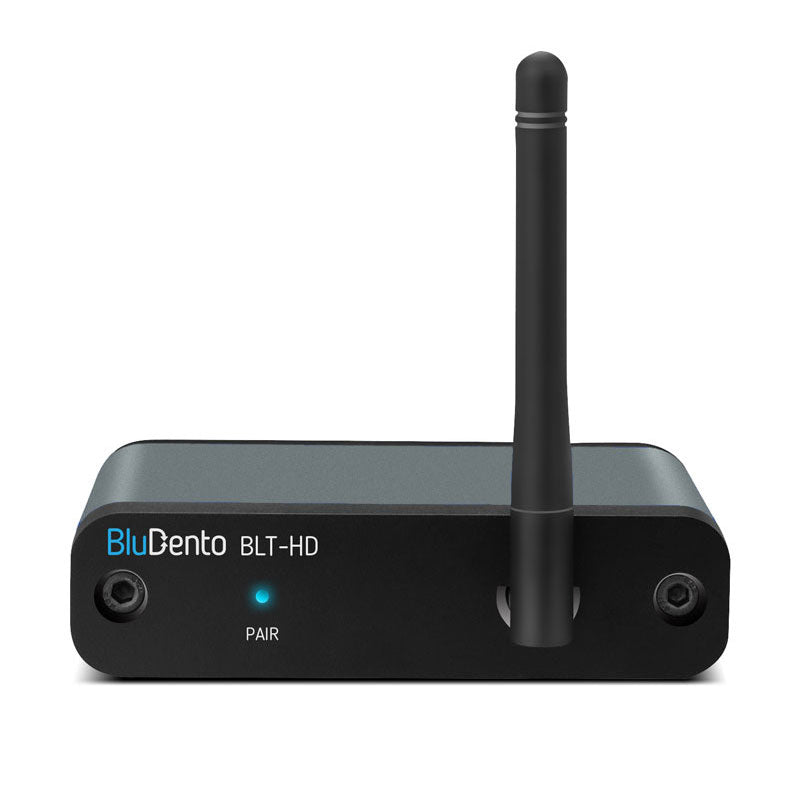
The current BluDento BLT-HD product page identifies it as a Bluetooth audio receiver, not a transmitter. It receives a compatible Bluetooth audio stream and supplies analog RCA, optical, or coaxial output to a home-audio system.
BluDento lists a 100-foot range capability for the current BLT-HD and documents an external rotating antenna. Treat that figure as a product-specific capability statement rather than a guarantee for every room. The source device, antenna orientation, obstructions, interference, and local installation still determine the usable result.
Placement checklist for a more reliable link
- Test the source and receiver close together first. This creates a known-good baseline before you troubleshoot range.
- Place the receiver and its antenna area in the open, not inside a metal cabinet or directly behind a dense equipment rack.
- Keep the shortest practical path between source and receiver. Fewer dense walls and large metal objects usually mean less path loss.
- Move nearby wireless and USB equipment when practical, then retest. Change one variable at a time so the result is traceable.
- Test from the actual listening position with the same source device and audio material you normally use.
- If dropouts begin at a doorway or wall, try moving the receiver a small distance or changing antenna orientation before buying another device.
How to connect a Bluetooth receiver to home audio
- Turn the amplifier or powered-speaker volume down.
- Choose one compatible connection. Use analog RCA when the receiver should perform digital-to-analog conversion, or use a compatible optical/coaxial input when the downstream system should handle the digital signal.
- Power the receiver according to its instructions and select the matching input on the audio system.
- Pair the source device and confirm that it connected to the intended receiver.
- Play a familiar track, raise volume gradually, and verify both channels.
- Move the source to the normal listening position, then test playback and reconnection.
How to troubleshoot Bluetooth audio dropouts
- Stable at short range, unstable farther away: focus on placement, obstacles, antenna orientation, and the source radio.
- Paired but silent: check the selected amplifier input, mute state, cable, output type, and source volume.
- One source works and another does not: compare source settings and supported audio profiles instead of assuming the receiver is the only variable.
- Digital output is silent: confirm that the downstream DAC or amplifier supports the incoming format and that the correct digital input is active.
- Repeated pairing problems: remove stale pairings, power-cycle the devices, and pair one intended source before adding others.
Claims to avoid when comparing extender Bluetooth products
Do not assume that every Bluetooth connection is limited to 30 feet, that Bluetooth audio moves to a 5 GHz band, or that a codec alone guarantees range or latency. Do not treat a seller's maximum-distance figure as a promise through walls. Compare the documented device role, outputs, antenna design, supported profiles, and setup requirements, then test the complete source-to-audio-system path.
Frequently asked questions
Can a Bluetooth receiver repeat a signal to another Bluetooth device?
Not automatically. A receiver terminates the incoming Bluetooth audio link and outputs audio through its documented connections. Only call a device a relay or repeater when the manufacturer explicitly documents that operating mode.
Will a newer Bluetooth version guarantee longer range?
No. The version number alone does not determine usable range. Both devices, radio implementation, antenna design, physical layer, transmit power, receiver sensitivity, obstacles, and interference matter.
Can Wi-Fi equipment affect Bluetooth?
Bluetooth and common Wi-Fi equipment can share the 2.4 GHz environment. Actual performance depends on the local radio environment, so placement and controlled testing are more useful than assuming a fixed outcome.
Should I buy the longest-range product listed?
First verify the device role and connection path. A long range figure is not useful if you need a transmitter but buy a receiver, or if the product lacks the output required by your audio system.
Bottom line
A reliable home-audio setup starts with the link budget and the room, not a universal “extender” promise. Identify whether you need a transmitter or receiver, keep the radio path clear, verify the audio connections, and test from the real listening position. Product-specific range claims can guide a shortlist, but the installed source-receiver-system path is the result that matters.
Recent Blogs

 September 11, 2026
Transmitter vs Receiver: Which Bluetooth End You Need
Compare transmitter vs receiver roles in a Bluetooth chain, match...

 September 10, 2026
RCA Bluetooth Transmitter and Receiver in One Box
See how an RCA Bluetooth transmitter and receiver in one...

 September 07, 2026
RCA to Bluetooth Transmitter: 5 Checks Before You Buy
Compare RCA to Bluetooth Transmitter picks by input, codec, latency,...
Leave a comment