
BluDento BLT-HD FAQ & Review


Quick answer: The current BluDento BLT-HD product page lists Bluetooth 5.4, LDAC, aptX Lossless, aptX HD, aptX Classic, AAC, and SBC, plus a TI/Burr-Brown PCM5102A DAC. Because BLT-HD specifications have changed since this article was first published, owners should check the label, manual, and order date for their exact hardware revision.
This updated FAQ separates current first-party specifications from subjective listening impressions. Sound, range, and latency depend on the complete source-receiver-system path and should be tested with your own equipment.
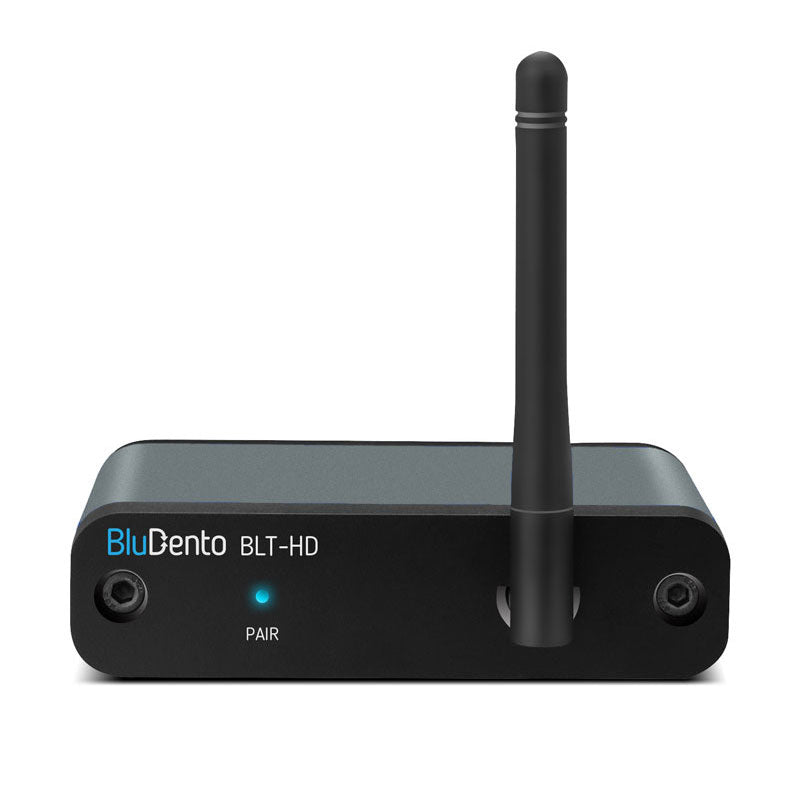
What is the BluDento BLT-HD?
The BLT-HD is a Bluetooth audio receiver. It receives music from a compatible phone, tablet, computer, or transmitter and supplies audio to a stereo system, powered speakers, amplifier, or external DAC. It is not a Bluetooth transmitter and does not power passive speakers by itself.
What Bluetooth version does the current BLT-HD use?
The current BluDento BLT-HD product page lists Bluetooth 5.4. The older article said 5.1, so do not use this page alone to identify an older unit. Check the product label, documentation, and purchase record for the hardware you own.
A Bluetooth version number is not a direct guarantee of sound quality, latency, or usable range. The source radio, receiver design, antennas, obstacles, interference, codec, and audio system all contribute to the result.
Which Bluetooth audio codecs are listed?
The current product page lists LDAC, aptX Lossless, aptX HD, aptX Classic, AAC, and SBC. The codec used in a session must be supported by both the source or transmitter and the BLT-HD; otherwise the devices negotiate another shared option.
Qualcomm states that aptX HD is designed for 24-bit audio over Bluetooth with sampling up to 48 kHz. That codec specification does not mean every source supports aptX HD, and it does not make Bluetooth identical to a wired connection in every system.
Which DAC is in the current product?
The current first-party specification lists a TI/Burr-Brown PCM5102A DAC and 48 kHz/24-bit LPCM support. These are component and format specifications, not a promise that every listener will prefer the sound.
The product FAQ states that the optical and coaxial digital outputs bypass the onboard DAC. Use those outputs when you want a compatible external DAC or digital input to perform conversion. Use the analog output when you want the BLT-HD's onboard conversion in the signal path.
Does aptX HD make lossless files lossless over Bluetooth?
No. A lossless source file and a Bluetooth codec describe different stages of the signal path. aptX HD is a Bluetooth audio codec with its own encoding specification. Keep the distinction clear: playing a lossless file does not prove that every wireless stage is lossless.
How should I connect and test the BLT-HD?
- Turn the amplifier or powered-speaker volume down.
- Choose one output that matches the audio system: analog for the onboard DAC path, or a compatible optical/coaxial input for a digital path.
- Power the BLT-HD according to its instructions and select the correct input on the audio system.
- Pair one source device and confirm the connected device name.
- Play a familiar track, raise volume gradually, and verify left/right output.
- Move the source to the normal listening position and test reconnection after Bluetooth is turned off and back on.
How can I confirm which codec is active?
Check the source operating system, transmitter indicator, or diagnostic screen if it exposes the negotiated codec. A receiver's supported-codec list shows what is possible, not what every connection is currently using.
What affects range and dropouts?
Bluetooth uses the 2.4 GHz band and frequency hopping. The Bluetooth SIG technology overview explains the radio and channel structure, but real-room performance still depends on both devices and the path between them.
- Keep the receiver and its antenna area away from metal enclosures and dense obstacles.
- Test at short range first to establish a stable baseline.
- Move crowded Wi-Fi or USB equipment away from the Bluetooth path when practical.
- Change one variable at a time and repeat the test from the normal listening position.
What should I do if there is no sound?
- Confirm that the source is paired with the intended BLT-HD.
- Check receiver power, the selected amplifier input, mute state, and volume.
- For digital output, confirm that the downstream DAC or amplifier supports the incoming format and that the correct digital input is selected.
- For analog output, start with conservative volume and try a known-good cable and input.
Is the BLT-HD plug and play?
Basic setup is short, but a complete verification still matters: match the output, pair the source, select the audio-system input, confirm the negotiated path, and test reconnection and normal-room placement. Those checks are more useful than assuming every phone, computer, DAC, or amplifier behaves identically.
Bottom line
The current BluDento BLT-HD is documented as a Bluetooth 5.4 receiver with multiple current codecs and a TI/Burr-Brown PCM5102A DAC. Verify the exact hardware revision you own, match the output to your system, and judge sound, latency, and range with the complete source-receiver-system chain.
Recent Blogs

 September 11, 2026
Transmitter vs Receiver: Which Bluetooth End You Need
Compare transmitter vs receiver roles in a Bluetooth chain, match...

 September 10, 2026
RCA Bluetooth Transmitter and Receiver in One Box
See how an RCA Bluetooth transmitter and receiver in one...

 September 07, 2026
RCA to Bluetooth Transmitter: 5 Checks Before You Buy
Compare RCA to Bluetooth Transmitter picks by input, codec, latency,...
Leave a comment